

How it works: choose the available track or risk option shown by the game, place a stake, and decide whether to collect the displayed multiplier or continue. Continuing can increase the potential return, but the stake can be lost when the round ends.
What this page can verify: the screenshots document the controls and labels visible in the captured version. They do not prove that every casino uses the same RTP, limits, feature set or disconnect rules. Check those values in the live game information panel before paid play.
Demo first: use a demo, when the operator provides one, to learn the controls without risking money. Do not assume the demo and paid version share identical settings unless the operator says so.
Interface Breakdown
The captured interface shows a track area, multiplier choices, a stake control and a button used to start or continue a round. Labels and available controls can differ between casino versions, so compare this guide with the screen in front of you.
The screenshots below are evidence of one captured version, not a promise that every operator presents the game in exactly the same way.
The Game Board
The central play area uses subway tracks, a chicken character and train hazards to present the round. Track choices display multipliers; choosing or continuing exposes the stake to the next result.
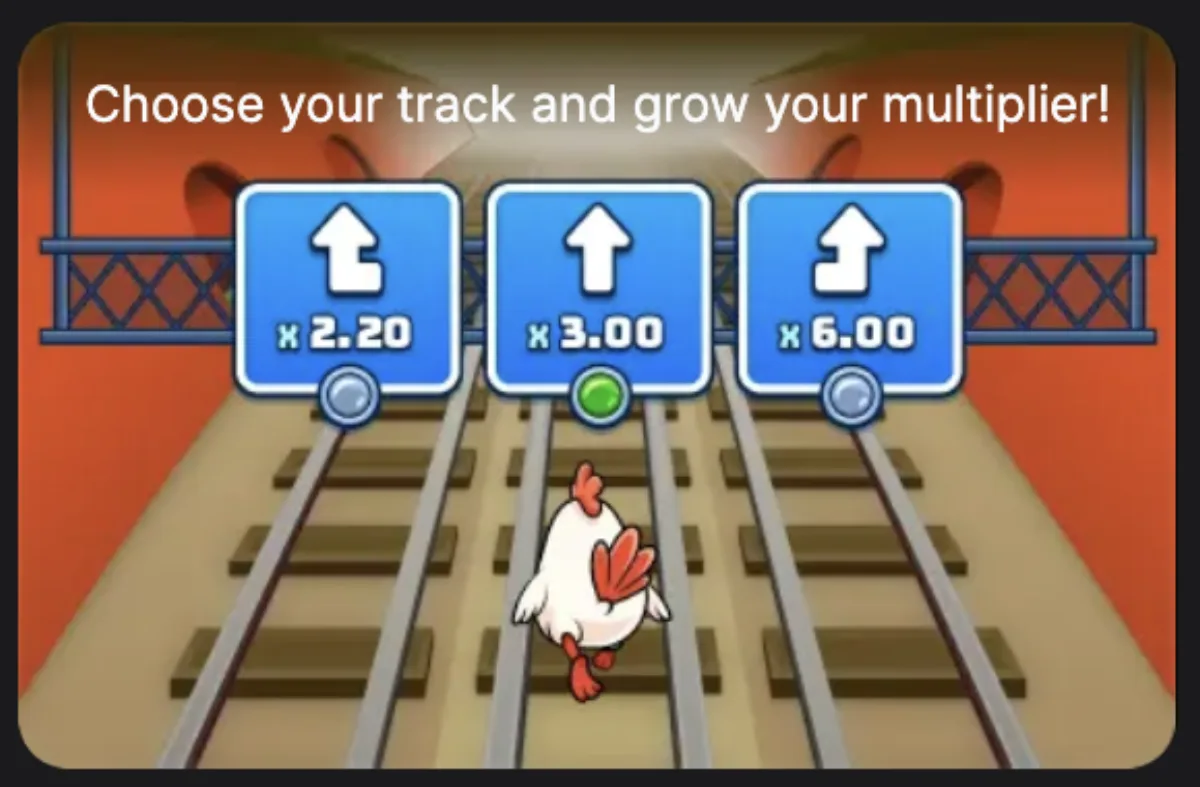
Use the multiplier labels—not the animation—as the decision information. Visual effects explain what happened but do not predict whether the next choice will succeed.
The Bet Panel
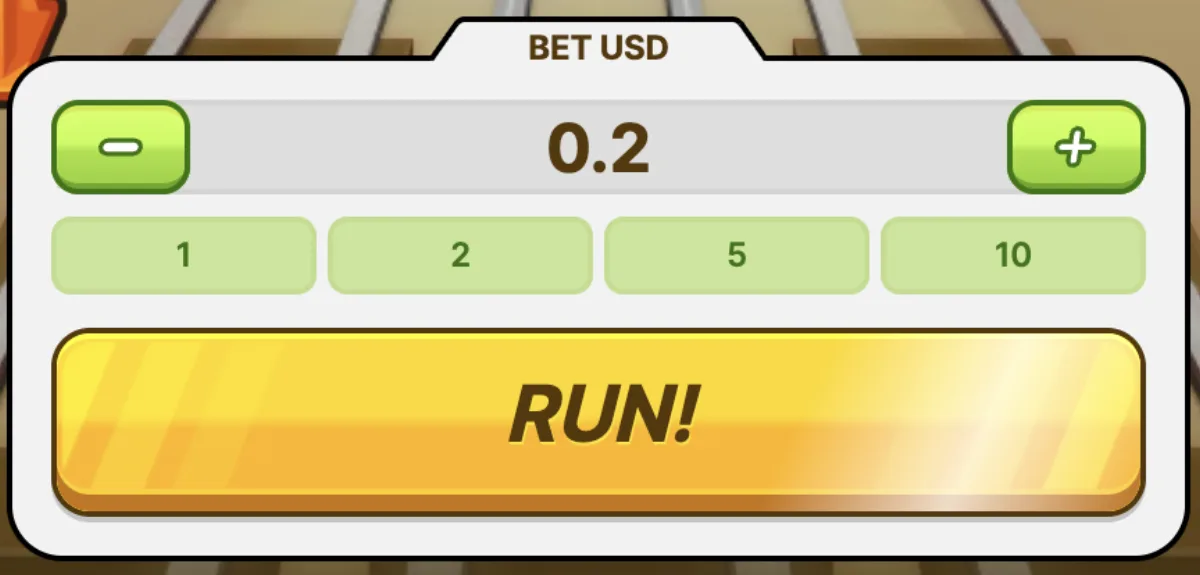
In the captured version, the lower controls include:
- Stake field — displays the selected amount and currency.
- Adjustment buttons — change that amount before the round.
- Start or continue control — begins the round or confirms the next choice.
- Collection control — where supported, shows the amount available to collect.

Multiplier Display
The displayed multiplier is used to calculate a potential return: stake × multiplier. It is not a probability and it does not show the chance that the next track will be safe.
Risk Level Selector
The captured screen includes named risk options. Higher advertised multipliers generally imply greater variance, but the exact options and maximum values must be read from the active game's own rules.

Chicken Subway Round Flow
The useful sequence is simple: check the rules and stake, start the round, read the available multiplier choices, then collect or continue. Continuing risks the active stake for a potentially higher displayed return.
Step-by-Step: Your First Round
This walkthrough describes the controls visible in our captures. Before following it with money, confirm the current game's labels, stake range, RTP and collection rules.
Select Your Risk Level
If the game offers risk settings, choose one before starting and read the corresponding limit shown on screen. A lower-labelled setting can reduce variance, but it does not guarantee a win.
Set Your Bet Amount
Use the stake field and adjustment buttons shown by the operator. Check the actual minimum, maximum and currency there; this guide does not assume one universal range.
Press Play
Use the start button only after the stake and setting are correct. Then follow the label shown by the game for the next choice; button wording can vary by version.

Watch the Multiplier Grow
Read the multiplier attached to each available choice. A larger number means a larger potential return if the round succeeds, not a better chance of success.
Cash Out or Keep Going
This is the central decision. If a collection control is available, it should show the amount that can be taken at that point. Continuing exposes the current stake to another result.
Win Confirmation
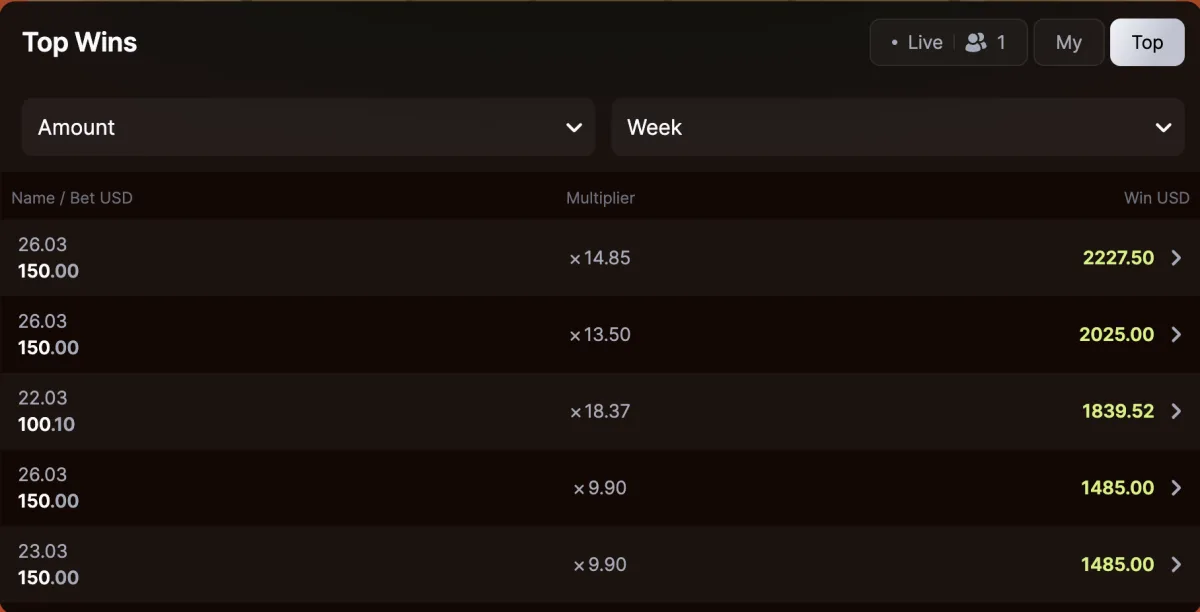
The captured result screen shows a win message, multiplier and payout. Check that the operator balance reflects the result; contact the operator if the round history and balance disagree.
That completes the decision loop. Do not infer a fixed duration or future outcome from earlier rounds.
Want to learn the controls without risking money? Read the demo guide and verify whether your operator currently provides a demo. Similar appearance does not prove identical settings.
How to Read Chicken Subway Multipliers
We removed the old estimated progression table because it was not a published paytable and could be mistaken for guaranteed values. Use the live game panel instead:
| Screen item | What it means | What to verify |
|---|---|---|
| Stake | Amount exposed to the round | Currency and operator minimum/maximum |
| Multiplier | Factor applied to the stake if collected successfully | Whether the displayed value is currently collectable |
| Risk setting | Changes the balance between smaller and larger possible outcomes | Available modes and limits in the active rules |
| RTP | Long-run theoretical return, not a session promise | Percentage shown for this operator and version |
Example only: a displayed 1.50× applied to a $10 stake would equal $15 if successfully collected. It says nothing about how likely the next result is.
For bankroll limits and why a cash-out pattern cannot remove the house edge, use the Chicken Subway strategy guide.
How Risk Settings Differ
Risk labels describe variance, not skill levels. The captured version shows four labels, but current limits must be checked inside the game:
Low
Intended to favour smaller possible multipliers and lower variance than the higher-labelled settings. It still carries a house edge and can lose.
Medium

Sits between the lower and higher variance settings. Do not treat the label as a recommendation or infer odds that are not published.
High

Can present larger possible multipliers alongside greater variance. It does not become more likely to win after a losing round.
Extreme

The highest-variance label in the captured interface. Large displayed ceilings should not be read as likely outcomes; verify the actual ceiling and rules before play.
Choose & Win: What to Check
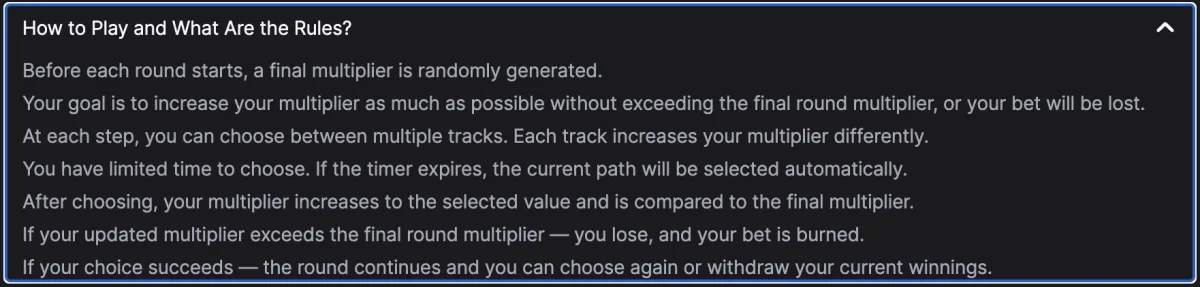
The captured interface presents several multiplier paths under the Choose & Win name. We cannot confirm one universal trigger sequence for every operator version. Before relying on the feature, check:
- When choices appear and whether a selection is required.
- Which multiplier is attached to each path before confirming.
- Whether collection is still available while the choice is displayed.
- How a failed choice is settled in the round history.
- Whether the rules differ between demo and paid modes.
If a demo is available, use it to identify these controls. Demo practice can teach the interface; it cannot prove paid-mode settings or improve the mathematical return.
Automatic Controls
Availability is operator-specific. Do not assume the game has automatic collection or repeat-play controls until they appear on the active screen and are explained in its rules.
Auto-Cashout
If automatic collection is offered, confirm the target before starting and check the round history afterward. It can enforce a chosen target, but it cannot:
- guarantee that the target multiplier is reached;
- remove the house edge;
- replace the operator's disconnect and settlement policy.
Use the control only as a limit-setting aid, not as a winning system.
Auto-Bet
If repeat play is offered, it can place rounds faster than manual play and therefore spend the session budget faster. Set the operator's loss and time limits first, and do not leave an automatic session unattended.
Common Mistakes to Avoid
These are the beginner mistakes to avoid when you move from rules reading into demo or paid play:
1. Reading a Large Multiplier as a Likely Result
A displayed maximum is a ceiling, not a prediction. Check the risk setting and never choose a stake because a headline multiplier looks attractive.
2. Chasing Losses by Increasing Bets
A previous loss does not make the next choice safer. Increasing the stake to recover money raises the amount at risk and can exhaust a budget quickly.
3. Starting Before Checking Mobile Controls
Make sure the stake, choice and collection controls are visible and usable on your screen. If they are not, stop instead of guessing where to tap.
4. Assuming Automatic Controls Are Guaranteed
Features and disconnect handling can differ by operator. Read the current rules rather than relying on a guide or an earlier version of the game.
5. Playing Without a Session Budget
Before every session, set a fixed amount and a stop point: when that amount is gone, play stops. Gambling has a negative expected value over time even when a page advertises a high RTP.
Ready to put these tips into practice? Start with the free demo, then read the strategy guide for bankroll management math.
Content Update History
- - Replaced unsupported progression, timing, feature and platform claims with screenshot-based instructions and operator checks
- - Refreshed visible date, schema date, fairness wording, and safer play instructions
- - Added Choose & Win details, updated risk level screenshots, added gameplay flowchart
- - Updated paytable notes with Medium/High risk examples
- - Initial publication with interface breakdown and step-by-step guide
Practical Tips Before Paid Play
Use these tips as a pre-session checklist rather than a promise of results. The goal is to make the interface predictable, keep the bankroll plan simple, and separate what you can control from what the random round outcome controls.
- Check the current rules first. Record the RTP, stake range, payout cap and available risk settings shown by the operator before using real money.
- Read each choice before confirming. Compare the displayed multiplier with the amount currently at risk; do not let animation or time pressure replace that check.
- High Multiplier tracks are not for recovery. The temptation to pick the highest-value track after a loss streak is psychologically powerful and mathematically counterproductive. Each round is independent. Switching to High track after losses does not improve your odds — it increases variance at the worst possible time.
- Check the fairness panel where available. After a surprising outcome, open the Salt/Hash or round information screen if the casino provides one. It can help explain a past round, but it does not predict the next one.
- Check mobile usability. If any stake or collection control is obscured, leave the game rather than placing a round with an unclear interface.
Frequently Asked Questions
Set a stake, start the round, read the multiplier choices and decide whether to collect or continue. Continuing can raise the potential return but also risks losing the active stake.
The captured version presents the risk choice before the round. Confirm whether your operator locks it after starting; do not assume every integration behaves identically.
The operator's disconnect and round-settlement policy controls this. Check the round history after reconnecting and contact support if the recorded result and balance disagree.
Some versions may offer automatic collection, but availability is not universal. Use it only if the active game shows the control and explains it in the rules.
It is the factor applied to the stake if that amount is successfully collected. For example, 1.50× applied to $10 equals $15. The multiplier does not reveal the probability of the next result.
The captured screen presents several multiplier paths under that name. Trigger timing and settlement rules were not confirmed as universal, so check the information panel in the version offered by your casino.
That depends on the casino and region. Use only the operator's official website or app, and avoid third-party APK files. Check that every stake and collection control is visible before starting.
Sources
- Chicken Subway interface captures stored with this site — captured March 2026
- Visible labels and multiplier examples in those captures; examples are not a universal paytable
- Operator game panel and terms — required for current RTP, limits, feature availability and settlement rules
Chicken Subway pre-play checklist
Before using money, confirm the game name, RTP, stake range, payout cap, available risk settings and round-history access inside the operator's current game panel. Check separately whether bonus funds are eligible and whether a maximum bonus bet applies.
Set a session budget and stop point before starting. A demo can help with navigation, but it cannot establish that paid-mode settings are identical. On mobile, use only the operator's official website or app and leave if the important controls are obscured.